Computer Mockup V2: A Practical Evaluation for Professional Designers
In the competitive landscape of digital design, the presentation of a project is often just as critical as the work itself. Professionals know that a stunning interface or logo can lose its impact if displayed on a generic, flat background. This is where high-quality assets like Computer Mockup V2 become indispensable tools in a designer's workflow. Designed to showcase designs professionally within a realistic 3D display, this resource addresses a common pain point: the time-consuming process of creating believable environments for portfolio pieces and client presentations.
This evaluation explores the practical utility of Computer Mockup V2, analyzing its technical specifications, ease of use, and overall value for a wide range of creative professionals. Whether you are a freelancer pitching a new brand identity or an agency preparing a final deliverable, understanding the capabilities of this PSD file is essential before integrating it into your production pipeline.
Understanding the Core Functionality
The primary purpose of Computer Mockup V2 is to provide a seamless bridge between a flat digital file and a three-dimensional reality. Unlike static images that require complex manual editing to place content onto a screen, this mockup utilizes advanced smart-object technology. This feature allows users to replace the current designs with their own creations within seconds, maintaining perfect perspective, lighting, and reflections automatically.
The asset is delivered in the standard Photoshop (PSD) format, which remains the industry standard for raster-based editing. The inclusion of smart objects means that the heavy lifting is done by the software itself. When a user double-clicks the designated layer, a separate window opens containing the placeholder artboard. After pasting the new design and saving that file, the main composition updates instantly. This workflow eliminates the need for manual warping, masking, or adjusting blend modes, which are prone to error and inconsistency.
Technical Specifications and Quality Standards
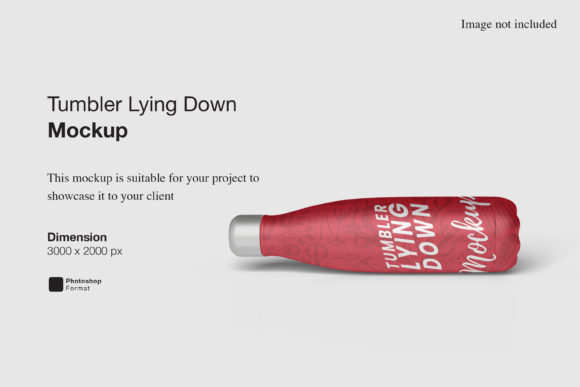
For professional output, resolution and dimensions are non-negotiable factors. Computer Mockup V2 comes prepared with a robust canvas size of 3000x2000 pixels. While this might seem modest compared to ultra-high-resolution displays, it is more than sufficient for most web applications, social media campaigns, and digital portfolios. The file is set at 300 dpi, ensuring that when printed for brochures, magazines, or large-format displays, the image retains crisp edges and fine details without pixelation.
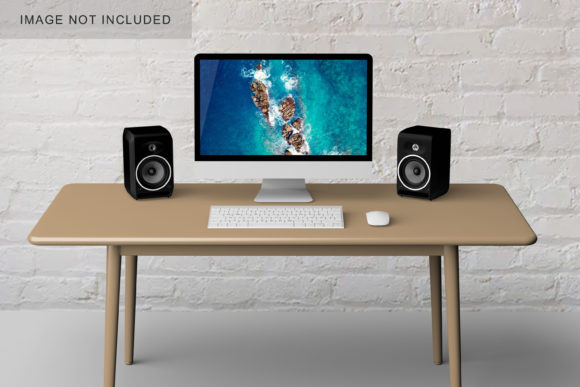
The realism of the 3D display is another critical metric. In many low-cost mockups, the lighting on the screen appears flat or disconnected from the surrounding environment. This specific version aims to rectify that by simulating a realistic 3D display where the screen content interacts naturally with the ambient light of the scene. The result is a cohesive image that looks like a photograph rather than a composite, lending immediate credibility to the design being presented.
Flexibility Through Changeable Backgrounds
One of the standout features of Computer Mockup V2 is the ability to alter the background color. In real-world scenarios, a single mockup rarely fits every context. A dark-themed website might look excellent against a neutral gray background but could be lost on a white surface. Conversely, a vibrant mobile app might need a stark contrast to pop.
The flexibility to change the background color allows designers to tailor the visual narrative without needing to recreate the entire scene. This capability supports consistency across different marketing materials. For instance, a marketer can generate a series of images for a blog post, a Twitter thread, and a LinkedIn banner, all featuring the same device but with varied backgrounds to match the platform's aesthetic or the campaign's mood board. This adaptability extends the lifespan of the asset, making it a versatile tool for long-term projects.
Usability and Workflow Integration
The efficiency of a tool is often measured by how quickly it can be adopted into an existing workflow. Computer Mockup V2 is designed for speed. The combination of the 3000x2000 px resolution and the smart-object architecture ensures that iterations are fast. If a client requests a minor tweak to the font or a color adjustment, the designer can update the source file and have the mockup refreshed almost immediately.
To further streamline the process, the package includes a PDF help guide. This documentation is not merely an afterthought; it serves as a practical reference for users who may be less familiar with Photoshop's smart object mechanics. It provides step-by-step instructions on how to import designs, ensuring that even those with intermediate skills can achieve professional results without frustration. The presence of such guidance reflects a commitment to user experience and reduces the barrier to entry for this resource.
Who Benefits Most From This Resource?
The versatility of Computer Mockup V2 makes it suitable for a diverse audience of adults aged 20–50, ranging from solo entrepreneurs to established agencies.
- Freelancers and Solo Creators: For individuals managing their own business, time is money. The ability to quickly produce high-fidelity presentation materials allows freelancers to focus more on the actual design work and less on the technicalities of rendering.
- Marketers and Agencies: Teams working on client pitches need to demonstrate value visually. A realistic 3D display helps stakeholders visualize the end product, reducing ambiguity and accelerating the approval process.
- Educators and Publishers: Those creating tutorials, courses, or written content about web and graphic design require accurate visuals to illustrate concepts. This mockup provides a clean, professional backdrop for educational materials.
- Small Business Owners: Non-designers who need to present their own branding ideas can use this tool to create polished images for investor decks or social media profiles without hiring a specialist.
Practical Limitations and Considerations
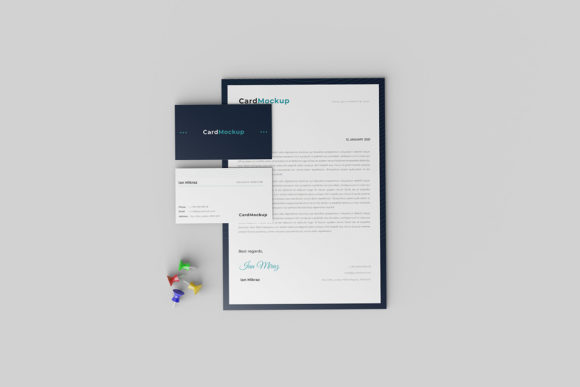
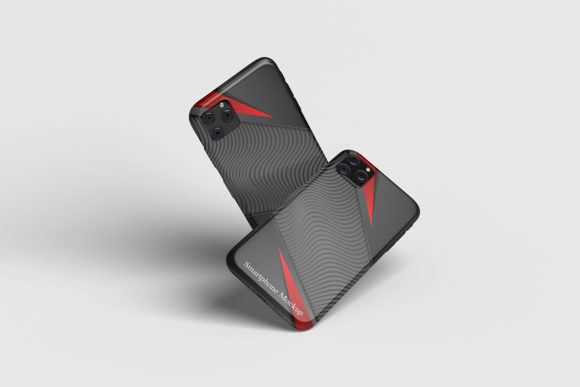
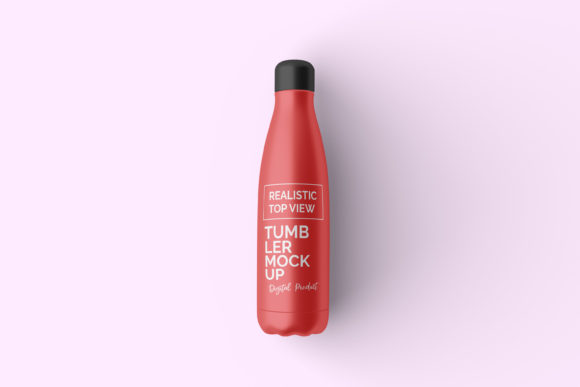
While Computer Mockup V2 offers significant advantages, it is important to maintain a balanced perspective regarding its limitations. First, the photos used in the preview images are for illustration purposes only and are not included in the download. Users must be prepared to source their own photography if they wish to replicate the exact look of the preview, although the editable background feature mitigates this need for many use cases.
Additionally, while the resolution is high for digital use, extremely large-scale print jobs (such as billboards) would require a higher resolution source file. However, for the vast majority of commercial and personal applications, the 3000x2000 px dimension is adequate. Furthermore, reliance on Photoshop is a prerequisite; users without access to Adobe Creative Cloud will find this specific PSD format incompatible with other software unless converted through third-party tools, which can sometimes compromise the smart-object functionality.
Long-Term Value and Conclusion
In the realm of digital assets, longevity is determined by how well a tool adapts to changing trends and needs. Computer Mockup V2 demonstrates strong potential for long-term value due to its flexible structure. The ability to swap designs effortlessly and adjust backgrounds means the asset can remain relevant as design styles evolve. It does not lock the user into a specific aesthetic but rather provides a reliable stage for whatever creativity is currently being produced.
The objective assessment of this tool suggests that it delivers on its promise of professional presentation. By combining high-resolution output with intuitive smart-object features, it removes the technical friction often associated with mockup creation. For professionals seeking to elevate their portfolio, streamline their client communications, or simply save time on repetitive tasks, this resource represents a solid investment. It transforms the final step of the design process—from a tedious chore into a quick, impactful conclusion—allowing the quality of the work to shine through without distraction.
Ultimately, the decision to utilize Computer Mockup V2 depends on the specific requirements of the project. However, for anyone prioritizing efficiency, visual fidelity, and professional polish in their design deliverables, the benefits of this realistic 3D display are clear and substantial.