Realistic Case Mockup: A Practical Evaluation for Professional Presentations
In the competitive landscape of digital design, the difference between a project that gets noticed and one that is overlooked often lies in presentation. Clients and stakeholders do not just want to see a flat image; they need to visualize how a concept functions within a tangible environment. This is where a Realistic Case Mockup becomes an essential asset. It serves as more than a simple template; it acts as a bridge between abstract creativity and concrete reality, allowing designers to showcase their work with a level of authenticity that standard screenshots cannot achieve.
This evaluation focuses on the specific utility of this tool, analyzing its technical specifications, workflow efficiency, and overall value proposition for professionals ranging from freelance graphic designers to marketing agencies. The core promise of this resource is its ability to transform static designs into dynamic, three-dimensional displays using industry-standard software features.
The Core Functionality and Technical Specifications
At its foundation, this mockup is delivered in the PSD Photoshop format, which remains the gold standard for raster-based design work. The inclusion of smart-object features is the primary differentiator here. Unlike older methods that required manual masking or complex layer adjustments, smart objects allow users to replace current designs with their own creations instantly. By double-clicking the designated layer, the designer opens a separate window where they can paste their artwork, save it, and watch the 3D case update automatically. This process typically takes seconds, significantly reducing the time spent on repetitive formatting tasks.
The resolution provided is substantial, measuring 3000x2000 pixels at 300 dpi. For anyone planning to print high-quality brochures or display portfolios on large monitors, this density ensures that text remains crisp and images retain their clarity without pixelation. High fidelity is critical when presenting to clients who may scrutinize details like font kerning or color gradients. A low-resolution mockup can inadvertently signal a lack of attention to detail, whereas a 300 dpi file reinforces professional credibility.
- Format: Adobe Photoshop (PSD) compatible with most recent versions.
- Resolution: 3000x2000 pixels at 300 DPI.
- Key Feature: Smart-Object layers for rapid content replacement.
- Customization: Changeable background colors to match brand identities.
Usability and Workflow Efficiency
For busy professionals, time is a finite resource. The "easy to use" claim found in many product descriptions is often vague, but in this context, it holds true due to the logical organization of the file structure. The mockup is designed to minimize friction in the creative workflow. Instead of spending hours adjusting shadows, lighting, or perspective to make a design look realistic, the heavy lifting is done by the pre-configured layers.
The ability to change the background color is a subtle yet powerful feature. In real-world scenarios, a design might be presented against a neutral studio backdrop, a vibrant office setting, or a branded corporate wall. Being able to swap the background color within seconds allows the designer to tailor the mood of the presentation without needing advanced photo manipulation skills. This flexibility supports consistency across different project deliverables, ensuring that the final output aligns perfectly with the client's visual guidelines.
Furthermore, the inclusion of a PDF help guide adds a layer of reliability for those who may be less familiar with advanced Photoshop techniques. While the interface is intuitive, having step-by-step instructions ensures that even users encountering the tool for the first time can achieve professional results without trial and error. This reduces the learning curve and prevents frustration during tight deadlines.
Practical Applications and Real-World Performance
Who benefits most from a Realistic Case Mockup? The answer spans a wide demographic of creatives. Freelancers pitching new business can use these visuals to demonstrate how a logo looks on physical packaging, turning a theoretical concept into a sellable product. Small business owners and entrepreneurs often struggle to communicate their vision to developers or manufacturers; showing a realistic preview eliminates ambiguity and streamlines the approval process.
Marketers and social media managers also find significant value here. Platforms like Instagram and LinkedIn are visually driven. A flat image of a design often gets lost in a feed, but a photorealistic render of a product case stands out. These assets allow marketers to create engaging ad creatives that feel authentic rather than promotional. Educators and publishers can utilize these mockups to present course materials or book covers in a way that students and readers can easily imagine holding in their hands.
In terms of performance, the tool excels in consistency. Because the lighting and shadow effects are baked into the template, every new design placed inside maintains the same environmental logic. This uniformity is crucial for building a cohesive portfolio. When a potential employer or client reviews a collection of work, seeing consistent lighting and perspective suggests a high level of discipline and professionalism.
Critical Considerations and Limitations
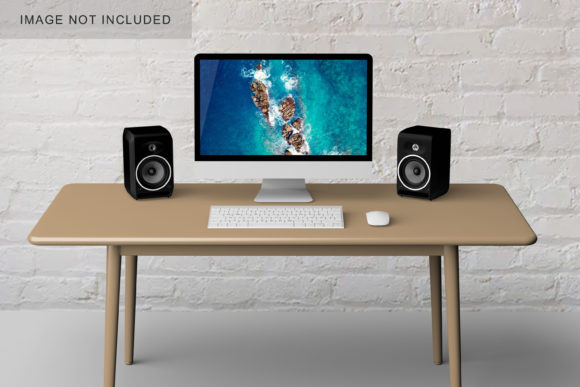
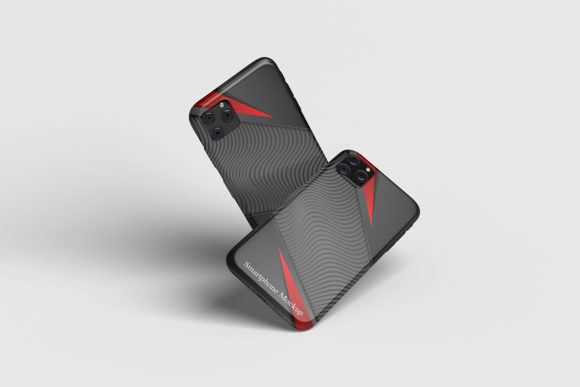
While the tool offers robust functionality, it is important to approach its capabilities with a clear understanding of what it does and does not include. The photos used in the preview images are strictly for illustration purposes and are not part of the downloadable package. Users must supply their own source files to populate the mockup. This distinction is vital; the mockup provides the stage, but the user provides the performance.
Additionally, the reliance on Photoshop means that access to this software is a prerequisite. While the vast majority of designers have access to the full Creative Cloud suite, freelancers or hobbyists using free alternatives like GIMP or Affinity Photo may face compatibility issues. Even with open-source tools, saving and opening PSD files with smart objects can sometimes result in layer errors or missing links, requiring extra troubleshooting steps. Therefore, the tool is best suited for environments where the standard Adobe ecosystem is already established.
Another limitation to consider is the static nature of the 3D display. While the mockup creates a convincing illusion of depth, it is not an interactive 3D model. Users cannot rotate the object or view it from angles other than the one captured in the template. For projects requiring a fully rotatable 360-degree view, specialized 3D rendering software would be necessary. However, for standard presentation needs, the fixed perspective is usually sufficient and often preferred for its compositional control.
Long-Term Value and Strategic Fit
When evaluating the long-term value of this resource, the focus should be on its versatility and durability. Design trends shift rapidly, but the fundamental need for high-quality presentation assets remains constant. A well-constructed mockup file does not expire; it can be reused indefinitely for future projects. This reusability makes it a cost-effective investment compared to hiring a 3D artist for every single presentation.
The strategic fit depends heavily on the user's goals. If the objective is to produce quick, high-impact visuals for client meetings or online portfolios, this tool is highly effective. It allows creators to spend more time refining their actual designs rather than wrestling with rendering engines. Conversely, if the goal is to create hyper-realistic animations or interactive web experiences, this static PSD file will not meet those specific requirements.
Ultimately, the Realistic Case Mockup represents a practical solution for modern design challenges. It balances technical quality with ease of use, offering a reliable method to elevate the perceived value of any creative project. By providing a professional frame for your ideas, it helps ensure that the work speaks for itself, communicating quality and intent clearly to any audience. For professionals seeking to streamline their workflow while maintaining a high standard of visual output, this resource stands out as a functional and dependable component of a creative toolkit.