Evaluating Beer Can Mockup V2: A Practical Guide for Designers Seeking Realistic 3D Presentations
In the competitive landscape of beverage branding, the visual representation of a product often dictates its perceived value before a consumer even reads the label. For graphic designers and brand strategists, the ability to present a concept in a photorealistic context is not merely an aesthetic preference; it is a critical component of client approval and stakeholder buy-in. This is where specialized digital assets become indispensable tools in the creative workflow. Among the various resources available for packaging design, Beer Can Mockup V2 has emerged as a specific solution designed to bridge the gap between flat vector artwork and tangible, shelf-ready reality.
This evaluation explores the technical specifications, usability features, and strategic advantages of Beer Can Mockup V2. By examining its capabilities within the broader category of packaging mockups, we can determine whether this tool aligns with your professional needs or if alternative approaches might serve your project better.
Understanding the Core Functionality of Beer Can Mockup V2
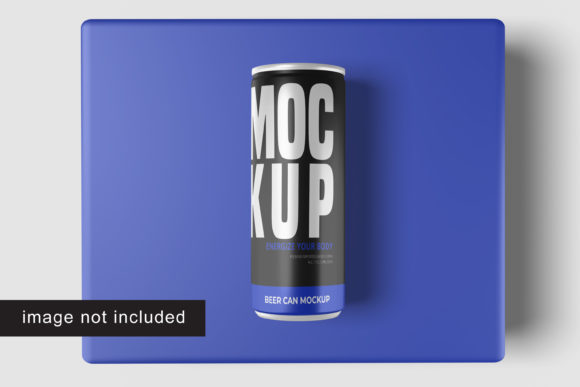
At its foundation, Beer Can Mockup V2 is a high-resolution digital template built for Adobe Photoshop. Its primary purpose is to allow designers to overlay their custom labels onto a three-dimensional model of a standard beer can. Unlike static images that require manual warping and distortion techniques, this mockup leverages advanced layering and masking technologies to automate the transformation process.
The distinction lies in the efficiency of the implementation. The asset utilizes smart-object features, which are essentially containers within Photoshop that hold raster or vector data. When you double-click into a smart object, you are working on a separate document. Once you save and close that document, the changes automatically update on the main canvas, applying perspective, lighting, and texture corrections instantly. This eliminates the tedious manual adjustment of anchor points and transform handles that characterizes older, less sophisticated mockup formats.
Furthermore, the resolution of Beer Can Mockup V2 is set at 3000x2000 pixels with a density of 300 dpi. This specification is crucial for print-ready deliverables and high-definition digital presentations. It ensures that when the final image is exported, there is no loss of sharpness, allowing fine details in typography and intricate illustration work to remain crisp and legible.
Technical Features and Workflow Integration
For professionals evaluating design assets, the ease of integration into existing workflows is often more important than raw pixel count. Beer Can Mockup V2 addresses this through several key structural elements that streamline the design process.
- Smart-Object Efficiency: The core mechanism allows for rapid iteration. A designer can test multiple color palettes, logo placements, or full-label variations in seconds without recreating the scene each time. This speed is particularly valuable during brainstorming sessions or when presenting multiple options to a client.
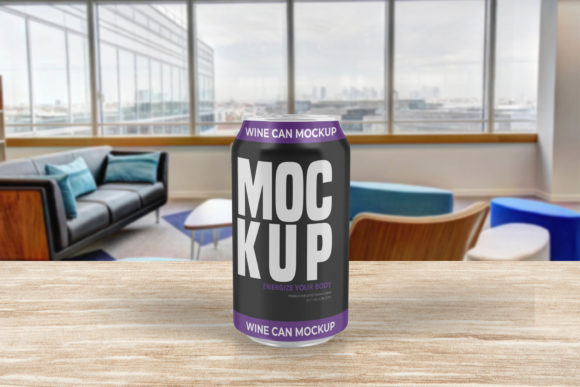
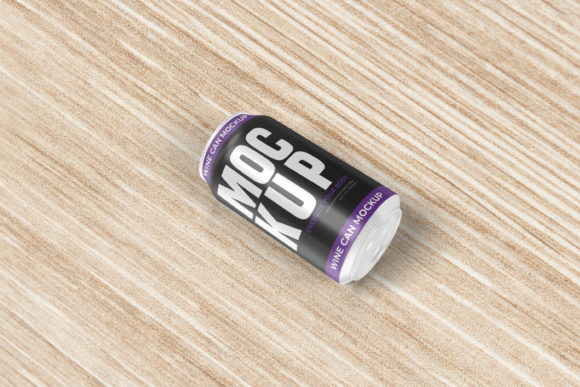
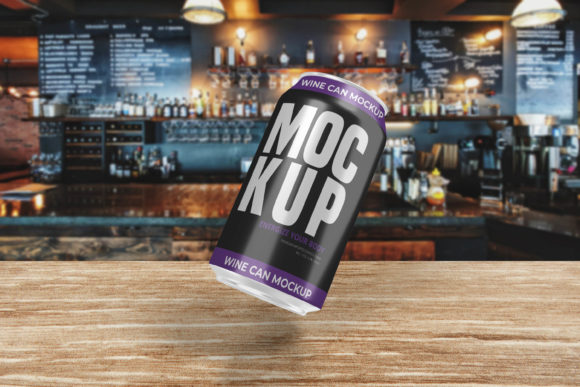
- Changeable Backgrounds: Context matters in presentation. A beer can against a stark white background suits a portfolio entry, while a textured wooden surface or a blurred bar environment may better convey a lifestyle narrative. The mockup includes editable background layers, enabling users to customize the setting to match the brand’s mood board or marketing channel.
- Comprehensive Support Documentation: Navigating complex PSD files can sometimes be daunting for those less familiar with advanced Photoshop techniques. To mitigate this, Beer Can Mockup V2 comes with a PDF help guide. This resource provides step-by-step instructions on how to replace designs, adjust lighting effects, and manage layer styles, reducing the learning curve for junior designers or freelancers who may not use these templates daily.
Comparative Analysis: Beer Can Mockup V2 vs. General Alternatives
When researching packaging visualization tools, designers typically encounter two broad categories: generic, low-cost bundles and specialized, high-fidelity single items like Beer Can Mockup V2. Understanding the tradeoffs between these options helps in making a more informed purchasing decision.
Generic Bundles vs. Specialized Assets
Bulk mockup packs often offer quantity over quality. They may include fifty different angles and products, but the individual file quality can be inconsistent. Lighting might appear artificial, shadows may lack physical accuracy, and the smart-object setup might be cluttered with unnecessary layers. In contrast, Beer Can Mockup V2 focuses on a single product type but executes it with precision. The 3D rendering is optimized to mimic real-world physics, including the subtle curvature of the aluminum and the way light reflects off metallic surfaces. For a designer whose niche is beverage packaging, the depth of realism in a specialized tool often outweighs the breadth of a generic bundle.
Manual Warping vs. Smart-Object Automation
Before the widespread adoption of smart objects, designers had to manually warp their logos using "Distort" or "Perspective" transforms. This method was prone to error and often resulted in misaligned text or stretched graphics. Beer Can Mockup V2, by relying on native Photoshop smart-object functionality, ensures that the label adheres perfectly to the can’s geometry. This reduces the risk of human error and ensures that every presentation looks polished and professional, regardless of the user’s technical proficiency.
Strategic Use Cases and Decision Factors
Determining whether Beer Can Mockup V2 is the right choice depends largely on the specific requirements of your current projects. Below are scenarios where this tool excels, alongside situations where other resources might be more appropriate.
Ideal Scenarios for Beer Can Mockup V2
- Client Presentations for Breweries: When pitching a new label to a craft brewery owner, visualizing the product on a shelf or in a hand adds emotional weight to the pitch. The realistic 3D display provided by this mockup helps clients visualize the final product, increasing the likelihood of approval.
- Social Media Marketing Campaigns: High-resolution images (3000x2000 px) are suitable for large-format social media posts and web banners. The ability to change backgrounds allows marketers to create cohesive visual themes across Instagram, Facebook, and LinkedIn without needing a photoshoot.
- Rapid Prototyping: For freelance designers working under tight deadlines, the speed of replacing designs via smart objects is invaluable. It allows for quick turnaround times on revisions, ensuring that the project stays on schedule.
When to Consider Alternatives
While Beer Can Mockup V2 is robust, it is not a universal solution. If your project involves non-standard can shapes, such as tapered cans or unique promotional bottles, this template will not fit. Additionally, if you require video animations or augmented reality (AR) previews, a static PSD file will not suffice; you would need a 3D model compatible with software like Blender or Cinema 4D.
Furthermore, designers who do not have access to Adobe Photoshop cannot utilize this tool effectively. While there are online alternatives that convert PSDs to web-based viewers, the full power of the changeable backgrounds and layer styles requires the desktop application. If your workflow relies exclusively on free or open-source software like GIMP or Inkscape, you may face compatibility issues unless you are experienced in converting smart-object layers.
Evaluating Value and Long-Term Utility
The true value of Beer Can Mockup V2 extends beyond a single project. As a reusable asset, it pays dividends over time. The initial investment is amortized across every future design that requires a beer can presentation. The inclusion of the PDF guide ensures that the asset remains usable even if your memory of the specific layer structure fades after months of non-use.
From an SEO and digital marketing perspective, having high-quality mockups allows brands to maintain a consistent visual identity online. Consistency builds trust. By using a tool that produces realistic, high-fidelity images, designers help their clients avoid the "cheap" look associated with poorly rendered digital proofs. This elevates the perceived professionalism of the entire brand, from the smallest detail on the can to the overall market positioning.
Conclusion on Suitability
Beer Can Mockup V2 represents a focused, high-quality solution for designers specializing in beverage packaging. Its strengths lie in its ease of use through smart-object technology, its high-resolution output suitable for both print and digital media, and its flexibility regarding background customization. While it does not replace the need for actual photography in all marketing contexts, it serves as an exceptional placeholder and conceptualization tool.
For professionals aged 20–50 who are actively comparing design resources, the decision should hinge on the balance between specificity and versatility. If your work frequently involves cylindrical metal containers and you require a fast, reliable, and visually accurate way to present your ideas, Beer Can Mockup V2 is a strong candidate. However, if your scope is broader, involving varied packaging types or requiring animated outputs, you may need to supplement this tool with additional 3D modeling resources. Ultimately, the choice depends on integrating the right tool into your specific creative ecosystem to maximize efficiency and impact.