Beer Can Mockup V5: A Professional Tool for Realistic Product Visualization
In the competitive landscape of branding and packaging design, the presentation of a product is often as critical as the design itself. Designers frequently face the challenge of translating two-dimensional artwork into a tangible, three-dimensional reality that clients can understand and appreciate. This is where high-fidelity mockups become an indispensable asset. Among the various tools available, Beer Can Mockup V5 has emerged as a specialized solution for professionals seeking to showcase their label designs with precision and realism.
This article provides an objective evaluation of Beer Can Mockup V5, exploring its technical specifications, usability features, and ideal use cases. By understanding the capabilities and limitations of this tool, designers and marketing professionals can determine whether it aligns with their workflow requirements and project goals.
Understanding Beer Can Mockup V5
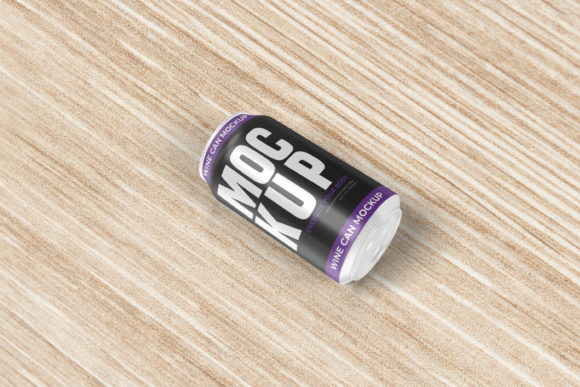
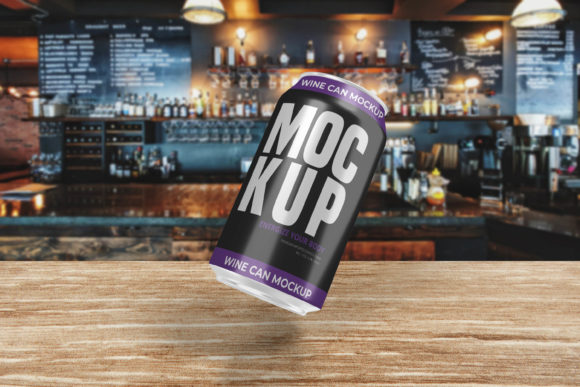
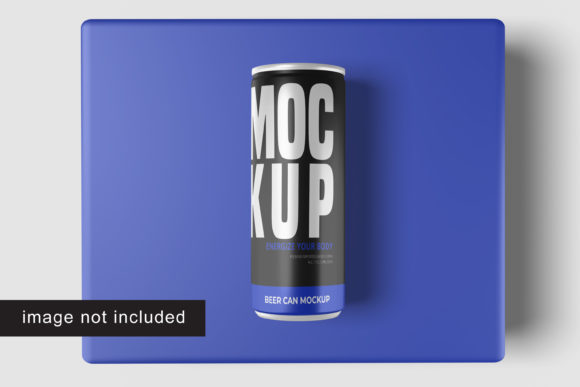
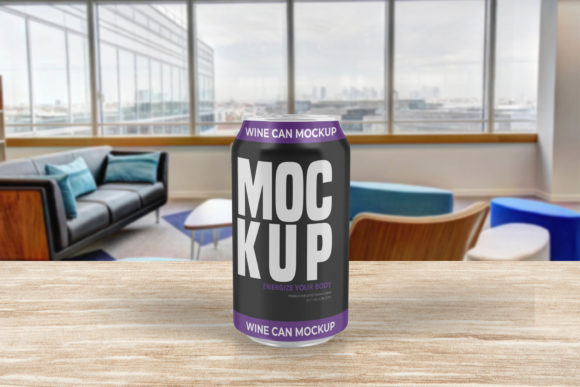
Beer Can Mockup V5 is a digital template designed specifically for displaying beverage can designs in a photorealistic 3D environment. It is delivered in Adobe Photoshop (PSD) format, leveraging the software’s powerful layering and smart-object technologies. The primary function of this mockup is to allow designers to replace the default label graphics with their own artwork quickly, resulting in a final image that mimics a photograph of a physical beer can.
The mockup is engineered to provide a realistic display, capturing the metallic sheen, curvature, and lighting reflections typical of aluminum beverage containers. For professionals who need to present concepts to clients or prepare assets for portfolio reviews, this tool bridges the gap between flat vector files and real-world application. It eliminates the need for expensive physical prototyping during the early stages of design development.
Key Technical Features and Specifications
When evaluating any digital asset, technical specifications play a crucial role in determining its utility. Beer Can Mockup V5 offers several features that cater to professional standards:
- Smart-Object Integration: The core functionality relies on Photoshop Smart Objects. This feature allows users to double-click a specific layer to open their design file, make edits, save changes, and instantly see the updates reflected on the 3D can surface. This process significantly reduces the time required for revisions and versioning.
- High Resolution Output: The mockup is provided at a resolution of 3000x2000 pixels with a density of 300 dpi. This ensures that the final output is crisp and suitable for high-quality print materials, large-format displays, or detailed web presentations without pixelation.
- Customizable Backgrounds: To suit different branding contexts, the mockup includes options for changing the background color. This flexibility allows designers to isolate the product against neutral tones for clean presentations or match backgrounds to brand aesthetics for social media content.
- User Guidance: Recognizing that not all users may be experts in advanced Photoshop techniques, the package includes a PDF help guide. This resource assists users in navigating the smart-object features and troubleshooting common issues, thereby lowering the barrier to entry for less experienced designers.
Benefits of Using Beer Can Mockup V5
The adoption of Beer Can Mockup V5 offers distinct advantages for design workflows, particularly for those focused on beverage packaging.
Efficiency and Speed: One of the most significant benefits is the speed at which designs can be visualized. Traditional methods might require rendering software or manual manipulation of shadows and highlights. With smart objects, replacing a design takes seconds. This rapid iteration capability allows designers to experiment with multiple color palettes and layout variations within a single session.
Professional Presentation: Clients often struggle to visualize how a flat logo will look on a curved, metallic surface. A realistic 3D mockup removes this ambiguity. By providing a lifelike representation, designers can communicate their vision more effectively, potentially reducing feedback loops and approval times. The high-resolution output ensures that these presentations look polished and credible.
Cost-Effectiveness: Compared to the cost of producing physical prototypes or hiring a 3D artist for custom renders, a digital mockup is a one-time investment. It provides a versatile tool that can be reused across multiple projects, offering long-term value for agencies and freelance designers alike.
Considerations and Potential Tradeoffs
While Beer Can Mockup V5 is a robust tool, it is important to approach it with realistic expectations. Understanding its limitations helps users decide if it is the right fit for their specific needs.
Software Dependency: As a PSD file, this mockup requires Adobe Photoshop. Users without access to this software cannot utilize the file. While alternatives exist in other formats, the depth of editing possible in Photoshop makes it the industry standard. However, for teams using other design suites, compatibility might be a hurdle.
Static Lighting and Angles: Although the mockup is realistic, it represents a static scene. The lighting, shadows, and camera angle are fixed within the template. If a designer needs to view the can from a drastically different perspective or under unique lighting conditions, they may find the flexibility limited compared to full 3D modeling software like Blender or Cinema 4D. It is best suited for standard product shots rather than dynamic, cinematic compositions.
Asset Exclusions: Prospective users should note that the photos used in preview images are typically for illustration purposes only and are not included in the download. This means users must source their own lifestyle imagery if they wish to composite the can into complex scenes, although the mockup itself handles the can's texture and lighting well.
Ideal Use Cases and Audience Fit
Beer Can Mockup V5 is particularly well-suited for specific professional scenarios:
- Label Design Agencies: For firms specializing in beverage branding, this tool streamlines the client presentation process. It allows for quick turnaround on label revisions, ensuring that deadlines are met efficiently.
- Freelance Graphic Designers: Independent designers can use this mockup to add value to their service offerings. Presenting a client’s logo on a realistic beer can elevates the perceived quality of the work and justifies premium pricing.
- Marketing Teams: Internal marketing departments preparing launch campaigns can use the mockup to create social media assets, email headers, and pitch decks without waiting for physical samples to arrive.
Conversely, individuals looking for highly customizable 3D environments, animated renderings, or non-beverage container types may find this tool too specialized. In such cases, broader 3D rendering software or multi-purpose mockup bundles might offer better versatility.
Conclusion
Beer Can Mockup V5 stands out as a practical, efficient, and professional tool for showcasing beer can designs. Its reliance on Photoshop Smart Objects ensures ease of use and rapid iteration, while its high resolution guarantees quality outputs. For designers and marketers involved in beverage packaging, it offers a significant advantage in visual communication and client presentation.
However, potential users should consider their software ecosystem and specific visualization needs. If the goal is to create realistic, static product shots quickly and professionally, Beer Can Mockup V5 is a strong candidate. By weighing its benefits against its static nature and software requirements, professionals can make an informed decision that enhances their creative workflow and delivers superior results.