Realistic Top View Smartphone Mockup: A Professional Showcase Tool
In the digital age, presenting a design is just as important as creating it. Whether you are an app developer, a UI/UX designer, or a business owner launching a new mobile product, the way your work is perceived can make or break its success. This is where the Realistic Top View Smartphone Mockup becomes an indispensable asset. It transforms flat files into tangible, three-dimensional representations that capture attention and convey professionalism instantly.
This tool is designed to bridge the gap between abstract concepts and real-world application. By providing a high-fidelity 3D display, it allows creators to showcase their designs in a context that users immediately recognize and trust. The following guide explores the utility, features, and practical applications of this mockup, helping you understand how it can elevate your workflow without unnecessary complexity.
Understanding the Purpose of a Top View Presentation
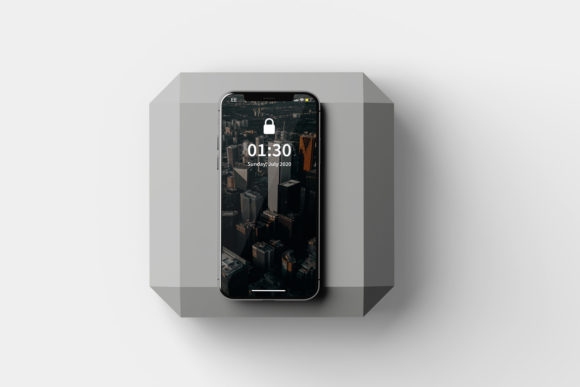
Why choose a top-down perspective? Unlike angled shots that emphasize depth from a distance, a top view offers a direct, unobstructed look at the screen content. This angle is particularly effective for showcasing user interfaces, dashboard layouts, and graphic designs where the clarity of information is paramount. When potential clients or stakeholders view your work through a Realistic Top View Smartphone Mockup, they focus entirely on the content rather than being distracted by complex angles or lighting effects.
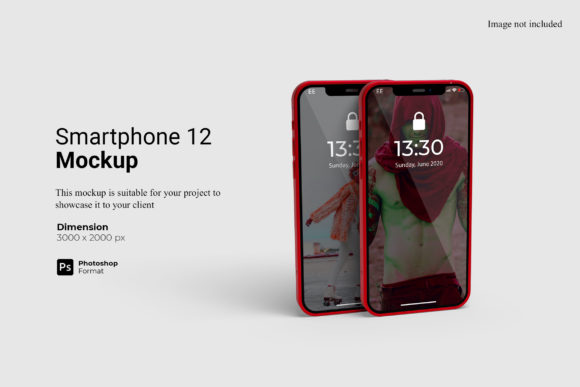
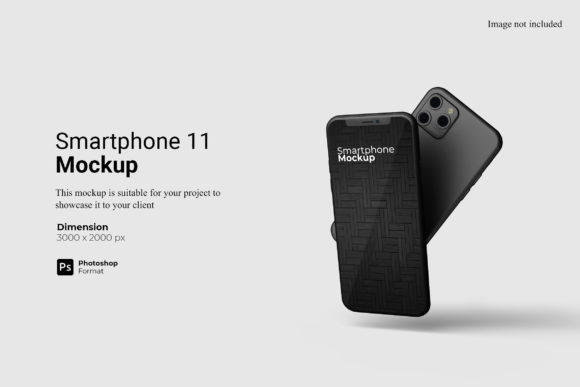
The primary purpose of this mockup is to provide a realistic environment for your designs. Instead of sending a raw JPEG or PNG file that looks like a simple image on a white background, you present a fully rendered device. This psychological shift signals quality and attention to detail. It suggests that you have considered not just the code or the pixels, but also the physical experience of using the application.
Key Features That Drive Efficiency
At the core of this tool lies its efficiency. In a fast-paced creative industry, time is a valuable resource. The Realistic Top View Smartphone Mockup addresses this need through several robust features:
- Smart-Object Technology: The most critical feature is the inclusion of smart-object layers within the Photoshop (PSD) format. This means you do not need to be a graphic design expert to use it. You simply double-click the designated layer, paste your design, save, and close. The mockup automatically applies your design to the screen with perfect scaling and perspective.
- High Resolution Standards: Created at 3000x2000 px and 300 dpi, this mockup ensures that your images remain crisp even when printed or displayed on large monitors. There is no risk of pixelation, which is essential for professional portfolios and client presentations.
- Changeable Backgrounds: One size does not fit all. To adapt to different brand identities or marketing contexts, the mockup allows for easy background color changes. This flexibility helps you create variations of the same design to see how it performs against light, dark, or colored backdrops.
- Comprehensive Documentation: For those who may be new to editing PSD files, a PDF help guide is included. This resource walks you through the process step-by-step, ensuring that you can replace the current designs with your own within seconds.
Who Benefits from Using This Tool?
The versatility of the Realistic Top View Smartphone Mockup makes it suitable for a wide range of professionals. While it is primarily targeted at designers, its utility extends far beyond the graphics department.
For Designers and Developers
UI/UX designers often struggle to communicate the final look of their prototypes. Wireframes and low-fidelity sketches are great for planning, but they lack the emotional impact of a finished product. By using this mockup, developers can demonstrate exactly how their interface will look on a real device. It serves as a powerful communication tool during client meetings, reducing ambiguity and accelerating approval processes.
For Business Owners and Marketers
Business owners launching a new app or service need to market their product effectively. A generic screenshot rarely grabs attention on social media or landing pages. A professionally rendered image using a top-view mockup stands out in crowded feeds. It adds a layer of legitimacy to the brand, suggesting that the company invests in quality presentation. This is particularly useful for crowdfunding campaigns, where visual appeal can significantly influence funding decisions.
For Content Creators
Bloggers and tech reviewers frequently need to illustrate articles about mobile apps or software. Using a consistent, high-quality mockup style creates a cohesive look across their website. It enhances the reader's experience by providing clear, visually appealing examples of the tools being discussed.
Practical Applications and Real-World Scenarios
To truly appreciate the value of this mockup, consider how it fits into various workflows. Imagine a scenario where a startup needs to pitch their new financial tracking app to investors. They could send a link to a live demo, but a static, high-resolution image is often more immediate. Using the Realistic Top View Smartphone Mockup, they can place the app's dashboard onto the screen, set a clean, modern background, and include it in a slide deck or email attachment.
Another common use case is social media marketing. Platforms like Instagram and LinkedIn favor vertical or square imagery. The dimensions of this mockup allow for easy cropping and formatting without losing quality. A fashion retailer might showcase their new mobile shopping experience, while a fitness coach could display a workout tracking interface. The ability to quickly swap designs means you can produce a week's worth of content in a single afternoon.
Evaluating Suitability for Your Projects
While the Realistic Top View Smartphone Mockup is a powerful tool, it is important to evaluate whether it meets your specific needs. If your project requires a side-profile view to show the sleekness of the phone's frame, or if you need to simulate a hand holding the device, this specific top-down model might not be the right choice. However, for scenarios where the focus must remain strictly on the screen content and interface layout, it is arguably the best option available.
Consider your technical capabilities as well. Since the mockup relies on Adobe Photoshop's smart-object features, you will need access to this software. If your team uses alternative design tools like Sketch or Figma, you may need to export your designs and import them into Photoshop specifically for the mockup rendering, or look for versions compatible with other platforms. Additionally, while the preview images are illustrative, remember that the photos used in the preview are not included in the download; you will be working with the base mockup file provided.
Maximizing the Impact of Your Designs
The ultimate goal of using a Realistic Top View Smartphone Mockup is to enhance the perceived value of your work. When you present a design in a realistic 3D display, you are telling a story. You are showing that your design is ready for the world, not just stuck in a development phase. This confidence translates into better feedback, higher conversion rates, and stronger client relationships.
To get the most out of this tool, experiment with the changeable background-color feature. Test your design against various colors to ensure contrast and readability. Use the high resolution to zoom in on details, checking that text remains legible and icons appear sharp. The included PDF help guide is your starting point, but once you master the basics, you can begin to customize the mockup further to suit your unique branding guidelines.
In conclusion, the Realistic Top View Smartphone Mockup is more than just a template; it is a strategic asset for anyone looking to present mobile designs professionally. Its combination of ease of use, high quality, and flexibility makes it a staple for modern creatives. By adopting this tool, you ensure that your hard work receives the attention it deserves, presented in the clearest and most convincing way possible.