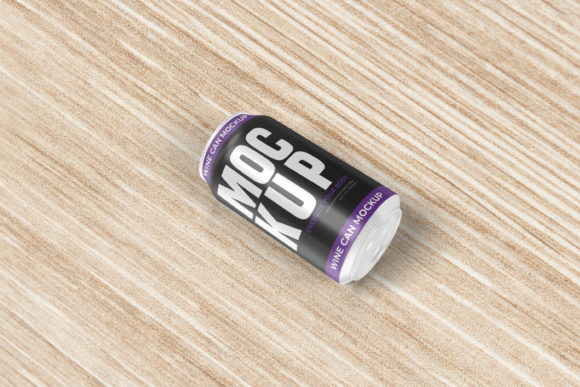
Beer Can Mockup V8: Professional 3D Display
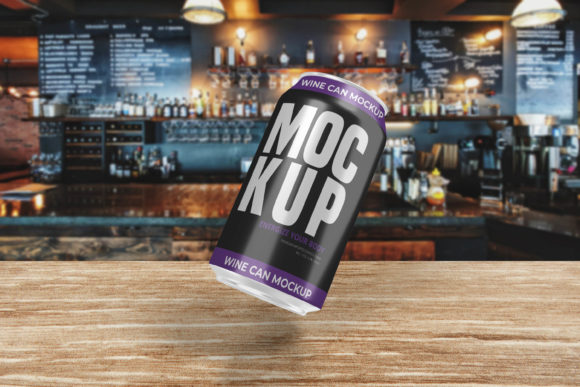
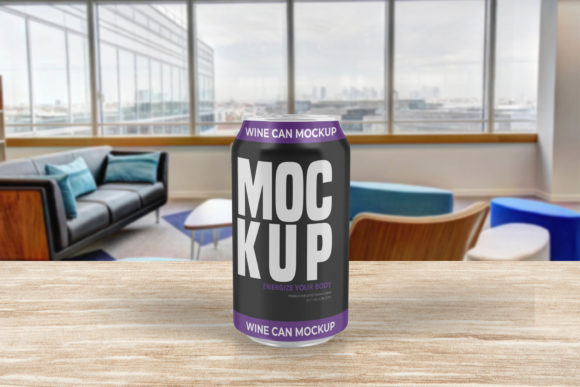
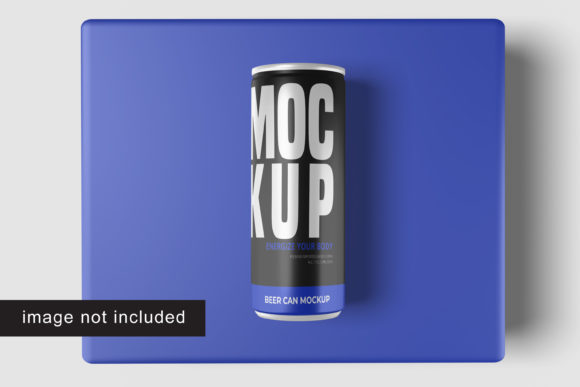
Designing a label is only half the battle. The other half is convincing your client, your employer, or your potential customer that the design actually works in the real world. This is where Beer Can Mockup V8 steps in as an essential tool for visual communication. It transforms flat, two-dimensional vector files into realistic, three-dimensional product renders that look like they were photographed on a professional set.
For many designers, the gap between a digital file and a physical product feels insurmountable without expensive photography equipment or complex 3D modeling skills. Beer Can Mockup V8 bridges that gap. Available in PSD Photoshop format, it leverages smart-object technology to allow users to swap out designs instantly. With a resolution of 300 dpi and dimensions of 3000x2000 pixels, the output is sharp enough for high-resolution print portfolios or crisp web displays. But beyond the technical specifications, the true value lies in how different professionals utilize this asset to solve specific presentation problems.
Why Realism Matters in Design Presentations
In the competitive landscape of branding and packaging, perception is reality. A beer can is not just a container; it is a tactile experience. When you present a flat logo on a white background, you are asking your audience to imagine the texture of the aluminum, the curve of the cylinder, and how light reflects off the surface. Most people struggle with this visualization.
By using a realistic 3D display, you remove the cognitive load from your viewer. They see exactly what the final product will look like. This reduces back-and-forth revisions because there is no ambiguity about scale, proportion, or color interaction with the metallic surface. Whether you are pitching a craft brewery brand or designing a limited-edition soda line, the ability to show a photorealistic render builds trust and accelerates decision-making.
Ease of Use for Beginners and Non-Designers
One of the most significant barriers to entry in high-quality design presentation is the learning curve associated with 3D software. Programs like Blender or Cinema 4D offer incredible power but require weeks of training to master. For small business owners, bloggers, or hobbyists who need to create promotional materials but lack advanced technical skills, this is often prohibitive.
Beer Can Mockup V8 addresses this by utilizing Smart-Objects within Adobe Photoshop. If you have ever used Photoshop, you likely understand the basic concept of layers. Smart-objects take this a step further by allowing you to double-click a layer, paste in your new artwork, save, and watch the 3D model update automatically. There is no need to manually map textures or adjust lighting angles.
- Quick Setup: Open the file, locate the designated smart-object layer, and replace the image.
- Instant Results: The mockup handles the warping, shading, and perspective calculations for you.
- Guidance Included: A PDF help guide is included, ensuring that even those less familiar with Photoshop can navigate the process smoothly.
This accessibility means that a freelance marketer can produce agency-level presentations without needing to hire a specialized 3D artist. It democratizes high-quality visual assets, allowing creators with strong design instincts but limited technical coding or modeling skills to compete effectively.
Efficiency for Professional Designers and Agencies
For experienced graphic designers and creative directors, time is money. In a fast-paced agency environment, turnaround times are tight, and clients often request multiple variations of a design to test different color palettes or taglines. Generating a new 3D render for every variation from scratch is inefficient and costly.
The flexibility of Beer Can Mockup V8 allows professionals to iterate rapidly. You can keep the base 3D model intact while swapping out ten different label designs in minutes. This speed enables designers to present more options to clients, increasing the likelihood of approval. Furthermore, the 3000x2000 pixel resolution ensures that these rapid iterations do not sacrifice quality. When zooming in on details for a portfolio piece or a large-format print, the text remains legible and the metallic sheen retains its realism.
Additionally, the feature to change the background color adds another layer of utility. Instead of shooting multiple photos or rendering multiple scenes with different environments, you can simply alter the background hue within the PSD file. This allows a designer to showcase the same product against a dark studio backdrop, a bright outdoor setting, or a minimalist white space, all from a single source file.
Strategic Value for Educators and Content Creators
Educators teaching graphic design, marketing, or branding courses face the challenge of showing students the end-to-end process of product development. Textbooks often rely on static images that fail to capture the dynamic nature of packaging design. Using tools like Beer Can Mockup V8 in a classroom setting provides students with practical, industry-standard workflows.
Students learn not just how to draw a label, but how to present it professionally. They gain insight into how lighting and perspective affect color perception. For content creators, such as bloggers or YouTubers reviewing beverages or discussing design principles, having access to customizable mockups allows them to create original, copyright-free visuals for their articles and videos. This avoids the legal pitfalls of using stock photos that may have restrictive usage rights.
Evaluating Cost vs. Long-Term Usefulness
When considering any digital asset, it is important to weigh the initial cost against long-term utility. While purchasing a mockup requires an upfront investment, the return on investment comes from its reusability. Unlike a custom 3D render commissioned from a freelancer, which might cost hundreds of dollars per project, a mockup file can be used indefinitely for unlimited projects.
For freelancers and small business owners, this cost-efficiency is crucial. It allows them to allocate budget elsewhere, perhaps toward better typography software or marketing campaigns, while still maintaining a premium visual standard. The inclusion of a PDF guide also reduces the "hidden costs" of support time. You spend less time troubleshooting technical issues and more time creating.
Identifying Your Fit
Deciding whether Beer Can Mockup V8 is right for you depends on your specific goals and workflow needs. Consider the following scenarios:
- You are a beginner: If you want to create impressive presentations but fear complex software, the smart-object workflow offers a gentle introduction to professional presentation techniques.
- You are a pro: If you need to deliver high-res, photorealistic assets quickly to meet tight deadlines, the efficiency gains from pre-made 3D models are invaluable.
- You are a business owner: If you need to visualize your product for investor pitches or e-commerce listings without hiring a photographer, this tool provides a viable, cost-effective alternative.
- You are an educator: If you want to teach modern, industry-relevant skills, using current mockup standards helps prepare students for real-world client interactions.
It is important to note that the photos used in previews are for illustration purposes only. This means the actual product you receive is a versatile template, not a fixed image. This distinction is vital for buyers seeking flexibility rather than a static photograph.
Conclusion on Practical Application
Ultimately, Beer Can Mockup V8 is about enhancing the clarity and impact of your design work. It removes the friction between creation and presentation. By providing a realistic 3D display with easy-to-use smart-object features, it empowers a wide range of users—from hobbyists to seasoned professionals—to communicate their ideas more effectively. Whether you are showcasing a new brand identity, teaching a class, or preparing a pitch deck, the ability to present your design in a lifelike context adds a layer of professionalism that resonates with audiences. As you evaluate your current workflow, consider how much time you spend trying to explain your vision versus showing it. Tools like this shift the balance toward showing, making your designs speak for themselves.