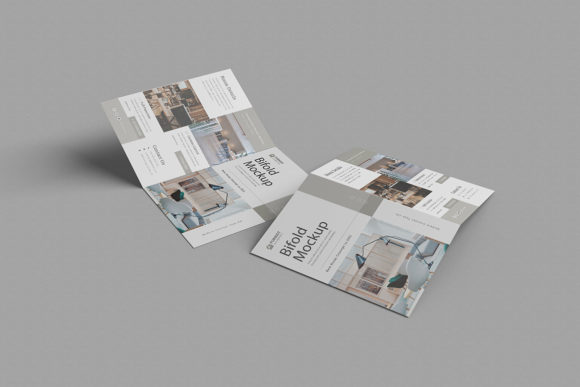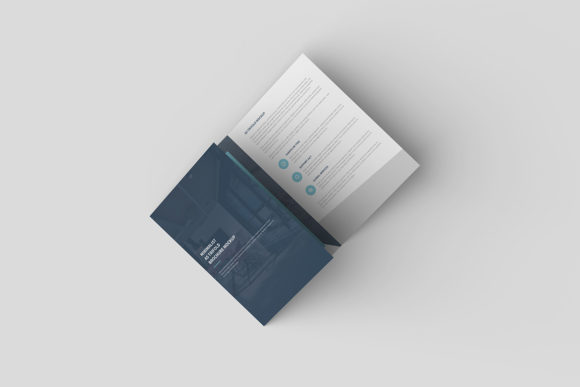
Top View DL Bifold Brochure Mockup
Imagine holding a brand-new marketing piece in your hands, feeling the texture of the paper and seeing exactly how your logo sits on the cover. That tangible experience is what clients crave when reviewing proposals. The Top View DL Bifold Brochure Mockup brings that same realistic feeling to your digital workspace. It is not just a static image; it is a dynamic tool designed to bridge the gap between your flat design files and a professional, three-dimensional presentation.
For creators who want to stop showing flat screenshots and start showcasing real-world applications, this tool offers an immediate upgrade. Whether you are a seasoned graphic designer pitching to a Fortune 500 company or a small business owner trying to visualize a new product launch, the ability to present work in a realistic 3D display builds trust and confidence instantly.
Why Realistic Presentation Matters
In the crowded digital marketplace, first impressions happen in seconds. When you send a PDF or a JPEG of a brochure design, the client has to use their imagination to understand the final product. They might wonder about the fold lines, the paper weight, or how the colors look under natural light. This mockup solves that problem by placing your design into a context they can easily grasp.
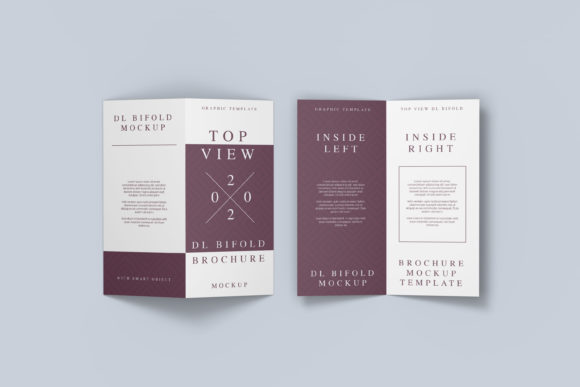
The "Top View" perspective is particularly powerful because it mimics the way we naturally interact with documents on a desk or table. It provides a comprehensive view of the entire layout without the distortion of extreme angles. By using the Top View DL Bifold Brochure Mockup, you are essentially giving your clients a preview of the finished article before a single sheet of paper is printed. This reduces revision rounds and accelerates the approval process.
Simplicity Meets Professionalism
You do not need to be a 3D modeling expert to achieve these results. One of the standout features of this item is its user-friendly approach. It is available in the standard PSD Photoshop format, which most designers already have installed. The magic happens through Smart-Objects, a feature that simplifies the editing workflow significantly.
Instead of manually tracing outlines or wrestling with complex layer masks, you simply double-click the Smart-Object layer. A new window opens where you can drop your own design file. Once you save that file, your design automatically wraps around the brochure folds, adjusts to the lighting, and integrates seamlessly with the background. What used to take hours of manual manipulation now takes mere seconds.
- Instant Replacement: Swap out designs quickly to test multiple concepts without starting from scratch.
- Realistic Lighting: Shadows and highlights are pre-calculated to match the folded structure perfectly.
- Professional Polish: Elevate your portfolio or client presentations with high-fidelity visuals.
Technical Specifications for Quality Output
When selecting assets for your projects, resolution and flexibility are paramount. This mockup is built to meet high industry standards. It comes in a substantial 3000x2000 px size at 300 dpi. This ensures that whether you are displaying your work on a high-resolution monitor, printing it for a physical portfolio, or embedding it in a website, the details remain crisp and clear.
Furthermore, the inclusion of a changeable background color adds another layer of versatility. Perhaps your brand identity uses a specific shade of blue, or maybe you want to see how the brochure looks against a neutral white surface versus a dark charcoal desk. Being able to tweak the background allows you to create variations that fit different moods or branding guidelines without altering the core design.
A helpful PDF guide is included with the download. If you are new to Photoshop or Smart-Objects, this document walks you through the steps clearly. It acts as a safety net, ensuring that even beginners can navigate the interface and produce professional results without frustration.
Ideal Use Cases Across Industries
The applications for this tool extend far beyond traditional graphic design agencies. Because the format is so adaptable, various professionals can leverage it to solve specific problems.
Freelancers and Entrepreneurs often wear many hats. You might be designing a menu for a local restaurant, a service flyer for a gym, or a travel itinerary for a tourism board. Using this mockup helps you visualize these items as finished products, making it easier to sell the concept to stakeholders who may not have a design background.
Marketers and Bloggers can use the visuals to create engaging social media posts or blog content. Instead of posting a plain image of a logo, you can share a stunning top-down shot of a branded brochure lying on a wooden table. These images generate higher engagement rates because they tell a story and evoke a sense of reality.
Educators teaching design principles can use this mockup to demonstrate layout theory. Showing students how text flows across the front, spine, and back panels in a 3D context reinforces lessons about negative space, hierarchy, and visual balance more effectively than a flat screen ever could.
Important Considerations Before You Start
While this tool is incredibly powerful, there are a few things to keep in mind to get the best results. First, remember that the photos used in the preview images are for illustration purposes only. They are not included in the download package. This means you are free to customize everything, but you must ensure your own design elements align with the mockup's perspective.
Ensure that your source design is prepared correctly before importing it. Since the mockup handles the folding and lighting, your input file should ideally be a flat, unfolded layout that matches the dimensions of the DL bifold format. If your design includes bleed areas or specific crop marks, make sure they are accounted for in the Smart-Object layer to avoid any awkward edges.
Also, consider the context of your final output. While the changeable background is great, think about the environment you are simulating. A brochure for a luxury hotel might look best on a marble surface, while a community event flyer might shine on a rustic wooden table. Adjusting the background color or overlaying textures (if you have advanced skills) can further enhance the realism.
Making Your Design Stand Out
In a world saturated with digital content, standing out requires more than just good typography or clever copy. It requires context. The Top View DL Bifold Brochure Mockup provides that context effortlessly. It transforms abstract pixels into a tangible object that people want to touch and hold.
By utilizing the smart-object features, you reclaim time that would otherwise be spent on technical adjustments. This allows you to focus on what truly matters: refining your creative vision and delivering value to your audience. Whether you are launching a startup, updating a brand identity, or simply practicing your craft, having a reliable, high-quality mockup in your toolkit is essential.
It is a simple yet profound shift in how you present your work. Instead of asking your audience to imagine the final result, you show them exactly what it will look like. That clarity is the hallmark of professional communication. So, if you are ready to elevate your presentations and showcase your designs with the precision and realism they deserve, this tool is the perfect next step.